
CHOMP Interface
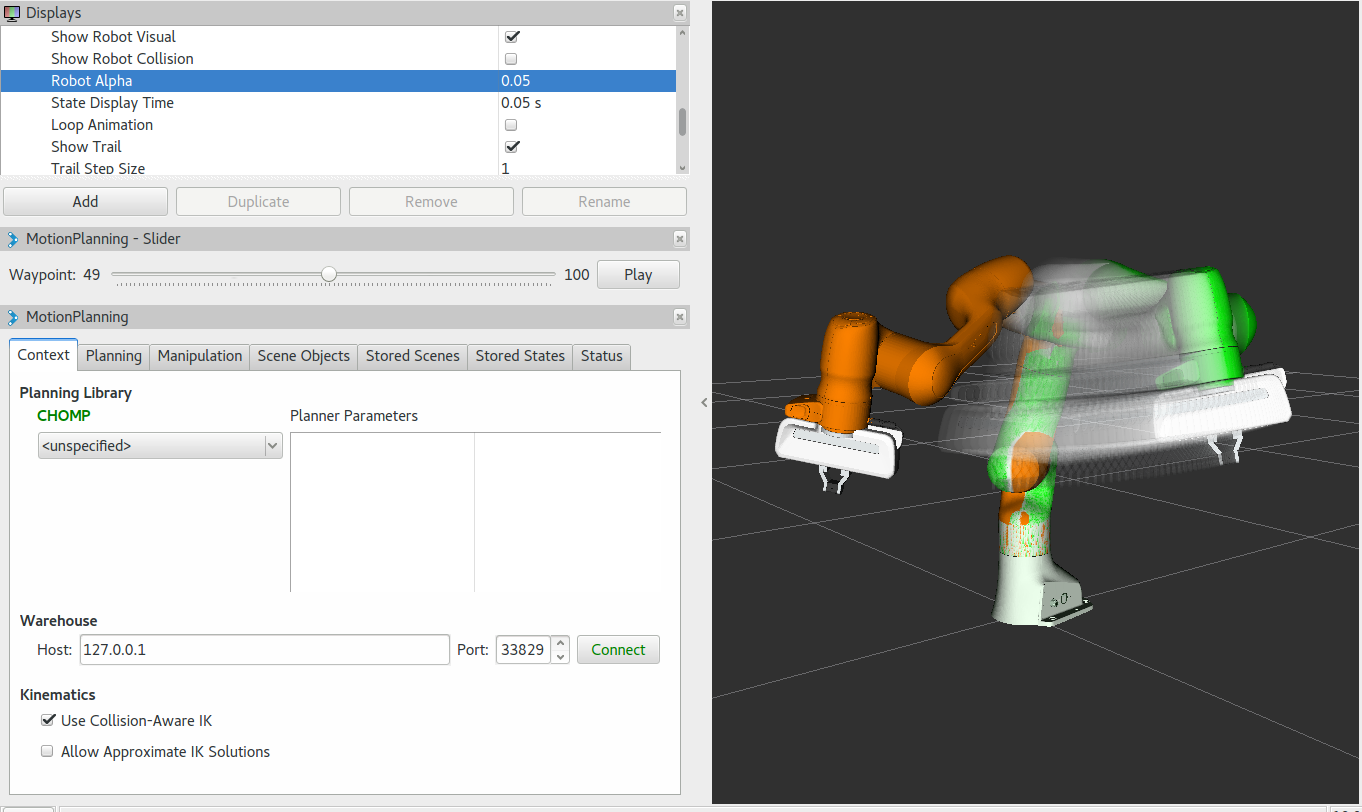
Covariant Hamiltonian optimization for motion planning (CHOMP) is a novel gradient-based trajectory optimization procedure that makes many everyday motion planning problems both simple and trainable (Ratliff et al., 2009c). While most high-dimensional motion planners separate trajectory generation into distinct planning and optimization stages, this algorithm capitalizes on covariant gradient and functional gradient approaches to the optimization stage to design a motion planning algorithm based entirely on trajectory optimization. Given an infeasible naive trajectory, CHOMP reacts to the surrounding environment to quickly pull the trajectory out of collision while simultaneously optimizing dynamical quantities such as joint velocities and accelerations. It rapidly converges to a smooth collision-free trajectory that can be executed efficiently on the robot. Integration into latest version of MoveIt! is work in progress. More info
Getting Started
If you haven’t already done so, make sure you’ve completed the steps in Getting Started.
You should also have gone through the steps in Visualization with MoveIt! RViz Plugin
Prerequisites
- You must have the latest version of MoveIt! installed. On ROS Kinetic you will need to build MoveIt! from source. We will go through the steps for doing this below.
- To use CHOMP with your robot you must already have a MoveIt! configuration package for your robot already. For example, if you have a Panda robot, it’s probably called
panda_moveit_config. This is typically built using the MoveIt! Setup Assistant.
Installing MoveIt! from Source
As you add and remove packages from your workspace you will need to clean your workspace and re-run the command to install new missing dependencies. Clean your workspace to remove references to the system wide installation of MoveIt!:
cd ~/ws_moveit/src
catkin clean
Now follow the instructions on the MoveIt! homepage for installing MoveIt! Kinetic from source. Note that you can skip the Prerequisites section since you should already have a Catkin workspace.
Re-source the setup files:
source ~/ws_moveit/devel/setup.bash
Using CHOMP with Your Robot
Note: if you are following this demo using the panda_moveit_config from the PickNikRobotics/panda_moveit_config repository, these steps are already done for you and you can skip this section.
Simply download chomp_planning_pipeline.launch.xml file into the launch directory of your MoveIt! config package. In our case, we will save this file in the
panda_moveit_config/launchdirectory.Adjust the line
<rosparam command="load" file="$(find panda_moveit_config)/config/chomp_planning.yaml" />to<rosparam command="load" file="$(find <robot_moveit_config>)/config/chomp_planning.yaml" />replacing<robot_moveit_config>with the name of your MoveIt! configuration package.Download chomp_planning.yaml file into the config directory of your MoveIt! config package. In our case, we will save this file in the
panda_moveit_config/configdirectory.Open
chomp_planning.yamlin your favorite editor and changeanimate_endeffector_segment: "panda_rightfinger"to the appropriate link for your robot.Copy the
demo.launchfile todemo_chomp.launch. Note that this file is also in the launch directory of your MoveIt! config package. In our case, thepanda_moveit_config/launchdirectory.Find the lines where
move_group.launchis included and change it to:<!-- Replace <robot_moveit_config> with the name of your MoveIt! configuration package --> <include file="$(find <robot_moveit_config>)/launch/move_group.launch"> <arg name="allow_trajectory_execution" value="true"/> <arg name="fake_execution" value="true"/> <arg name="info" value="true"/> <arg name="debug" value="$(arg debug)"/> <arg name="planner" value="chomp" /> </include>
Open the
move_group.launchfile in your<robot_moveit_config>/launch/folder and make two changes. First, add<arg name="planner" default="ompl" />just under the<launch>tag and second, within the<include ns="move_group">tag replace<arg name="pipeline" value="ompl" />with<arg name="pipeline" value="$(arg planner)" />.
Running the Demo
If you have the panda_moveit_config from the PickNikRobotics/panda_moveit_config repository you should be able to simply run the demo:
roslaunch panda_moveit_config demo_chomp.launch
Open Source Feedback
See something that needs improvement? Please open a pull request on this GitHub page